Campaigns can be created by two different ways:
▪Off of an existing buy
▪Within a new buy
Create a Campaign from an existing Buy
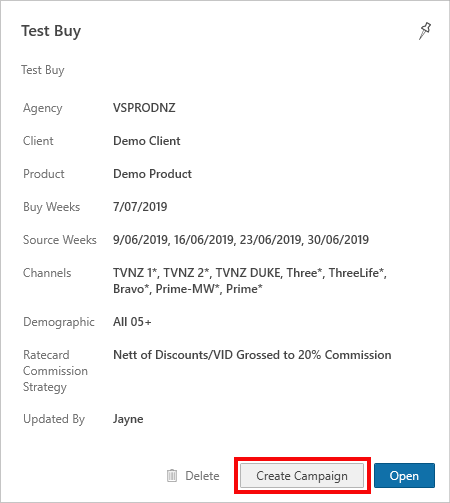
If using an existing buy click on the required buy then select Create Campaign under the details section
Create a Campaign from a new Buy
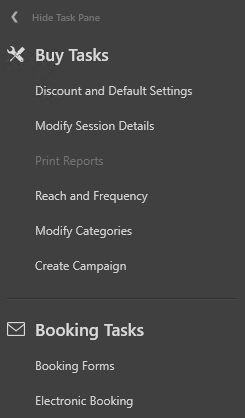
If using a new buy under the Buy Tasks settings click on Create Campaign
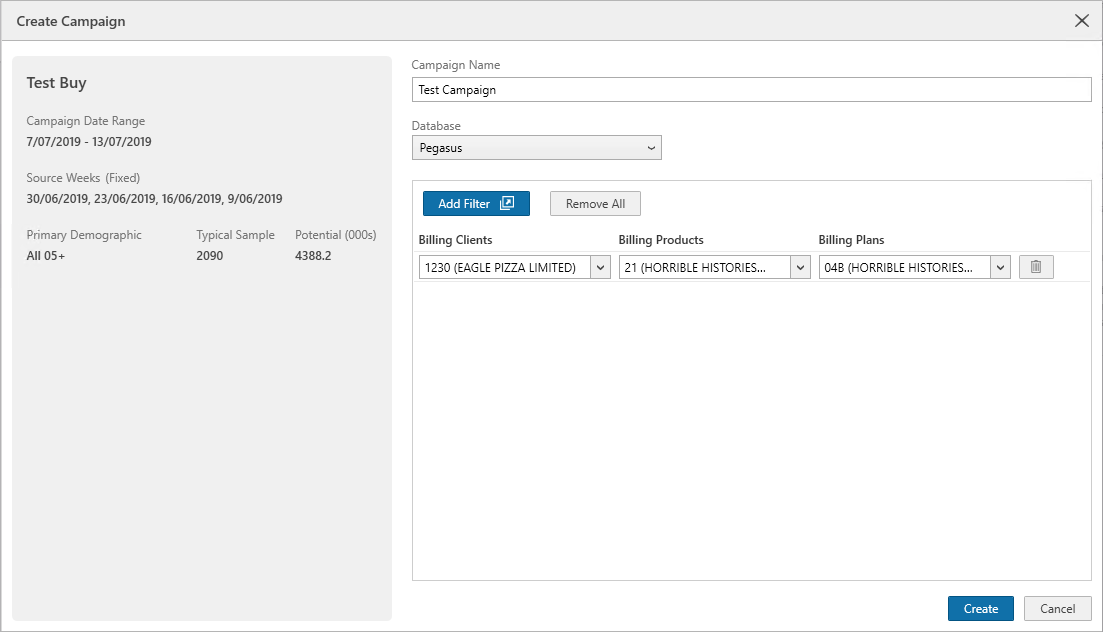
Enter details for the new campaign.
There may be a prompt for a Pegasus login/password in order to allow the Campaign Manager to pull your spots back from Pegasus.
•Campaign Name - give the new campaign a name
•Add Filter - use this to select what clients, products and plans the campaign is for - same as Pre/Post Analysis
Once those details have been entered click Create
View how to create a new campaign

Have more questions? E-mail us: support@broadcastmap.co.nz or call us: +64 9 304 0762
|
|
©2026 Broadcast M.A.P. Limited. All Rights Reserved.
|