
The latest TVmap® Software delivers a wide set of enhancements across Buying, Campaign Management, Pre/Post Analysis & Programme Synopsis. These improvements are designed to streamline workflows, increase visibility, reduce manual work, and provide more accurate and intuitive reporting.
Hide Unselected Spots & Programmes
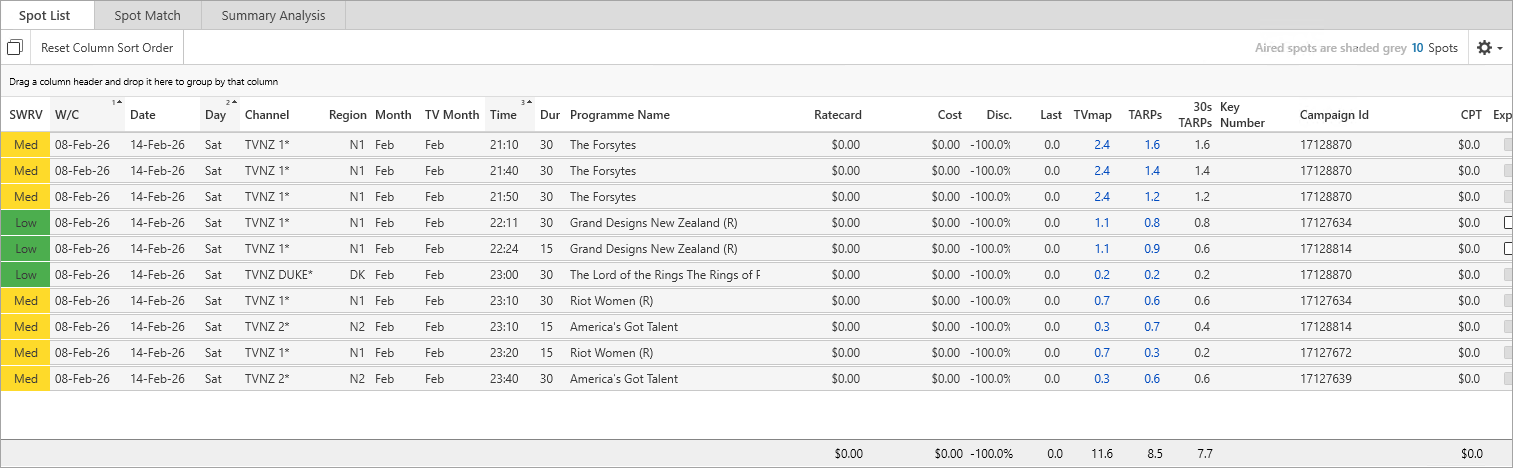
Across Buying, Campaign Manager and Pre/Post Analysis, you can now hide unselected spots or programmes, making it easier to focus on the items that matter.
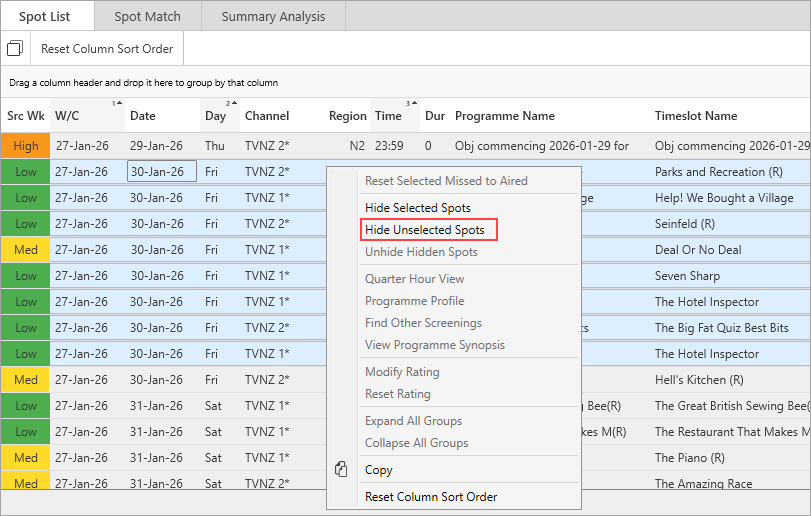
This reduces the need for manual scrolling and filtering and is great for large campaign lists where only the selected items need analysis i.e multi-week campaigns.
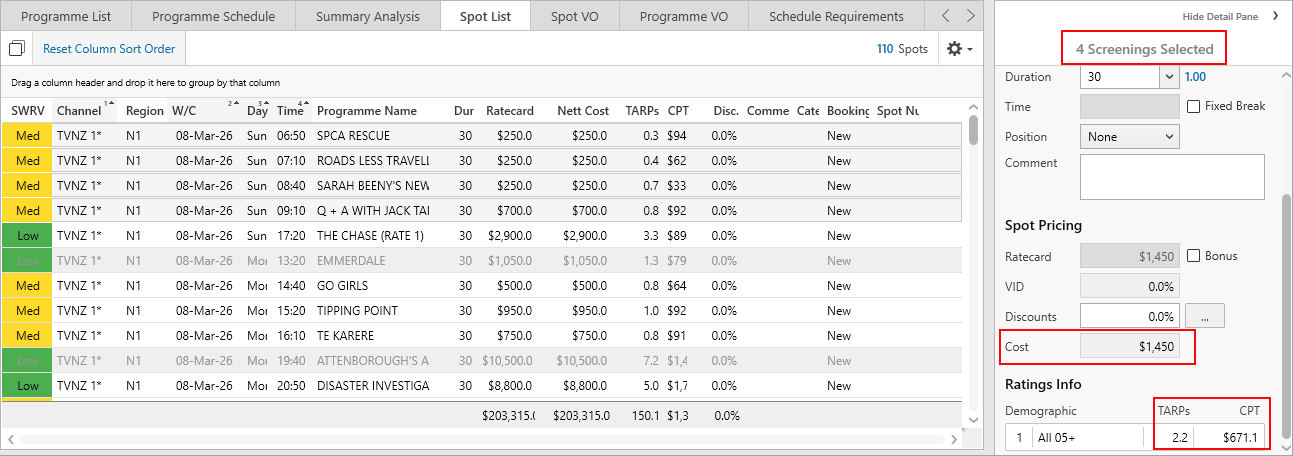
Improved Multi‑Select Summaries on Details Pane
You can now easily see summary information in the Details Pane for selected spots/programmes:
• Total TARPs
• Average CPT
• Total Cost
• Count of selected screenings
This makes it easier to see the impact of adding or removing selected spots/programmes before any adjustments are made to the buy.
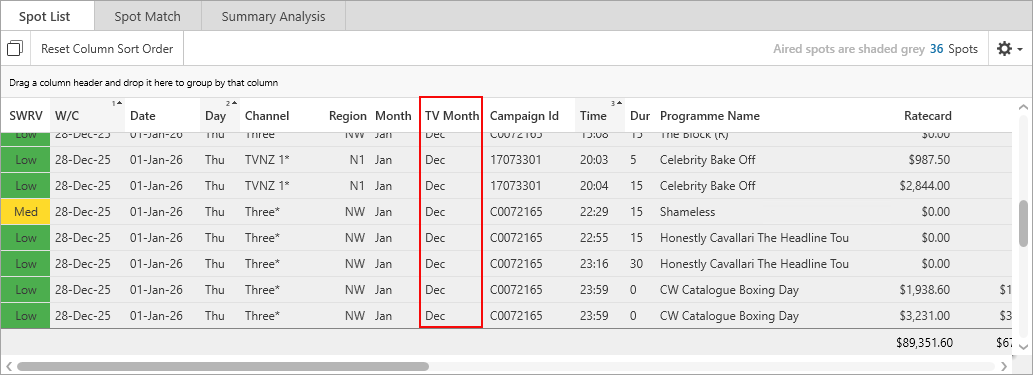
New Column TV Month Added
A new optional column TV Month is available in Buying, Campaign Manager, and Pre/Post Analysis.
TV Month is calculated based on broadcast week structure, rounding TV months out to the nearest week commencing and ending periods rather than the standard calendar month.
This results in spots within a week falling into a single month classification instead of overlapping two months. For example, the below campaign for w/c 28/12/2025 has three days in Jan 2026. TV Month shows the month as Dec for those 3 days in Jan 2026 which fall in the end of the final Dec week of spots.
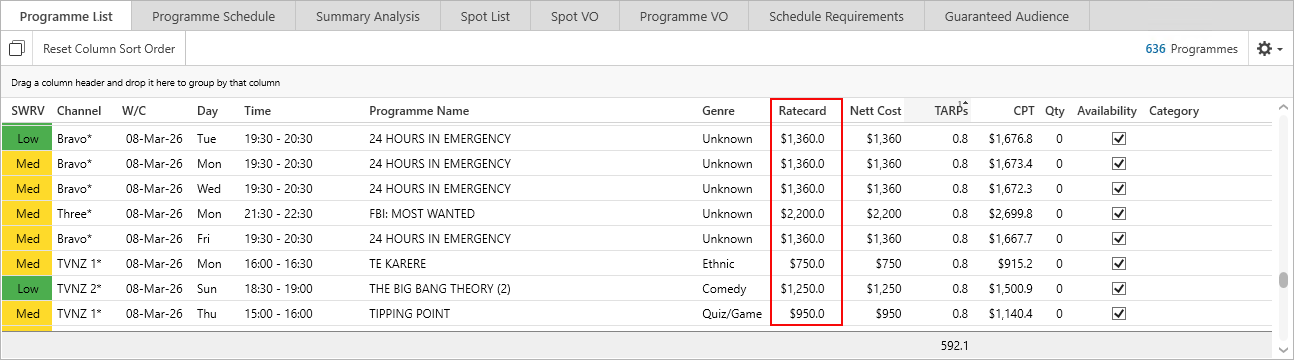
Ratecard Cost Column
The Ratecard column has been added to the Programme List view in Buying and Campaign Manager making it easier to see Broadcaster value versus Nett cost before spots are bought.
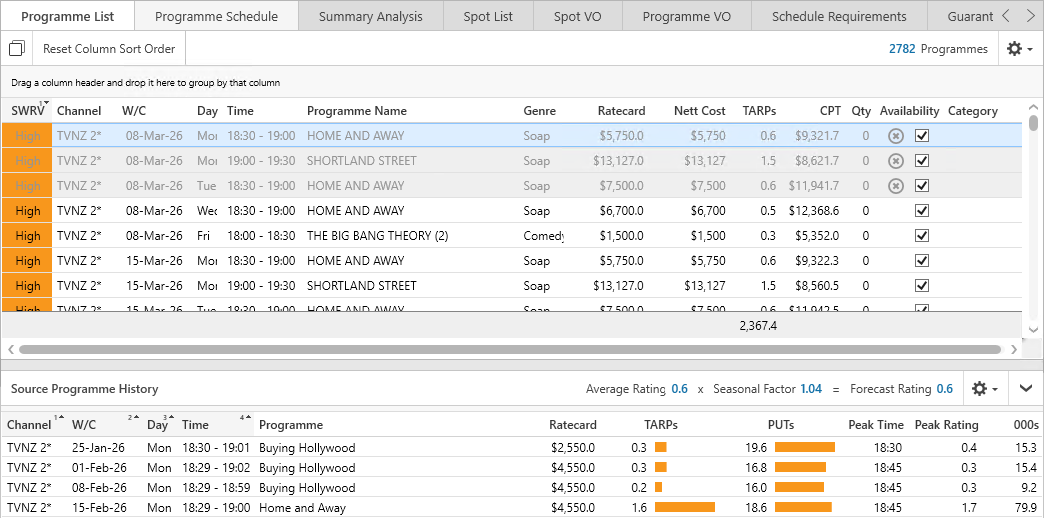
PUTs Added to Source Programme History
PUTs is now included in the Source Programme History view. Using this alongside TARPs shows overall and channel specific performance, which helps you see if variations have been caused by individual programming or total viewing. If TARPs and PUTs follow similar patterns then variation is being influenced by overall viewing, whereas deviations in the TARPs and PUTs would indicate individual programme effects.

Example below highlights how the return of Home and Away generates audience for the programme while overall viewing remains similar to previous weeks.
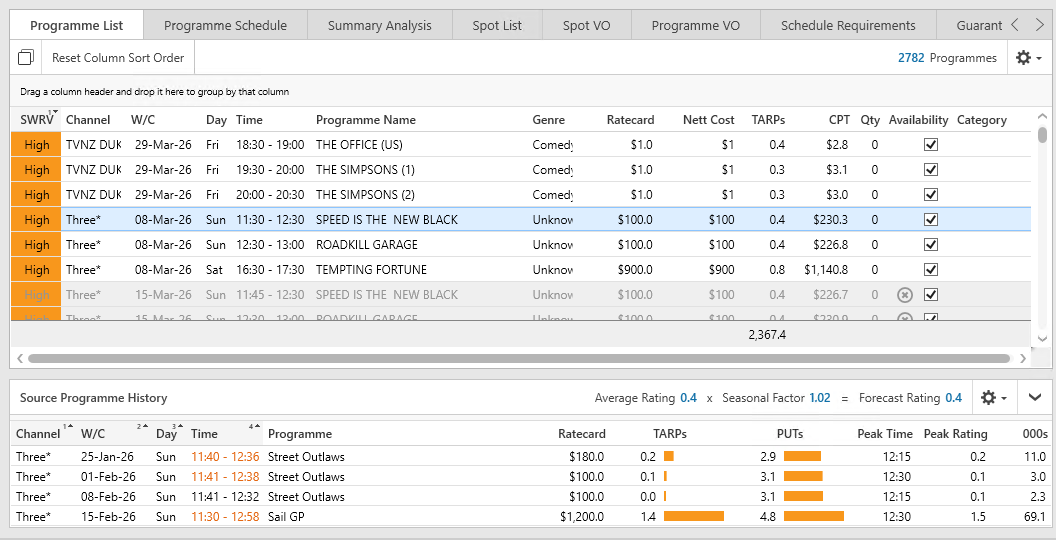
In this example SailGP has lifted PUTs through additional viewing in the timeslot. So variation in this case is more about attracting new audience versus audience movement.
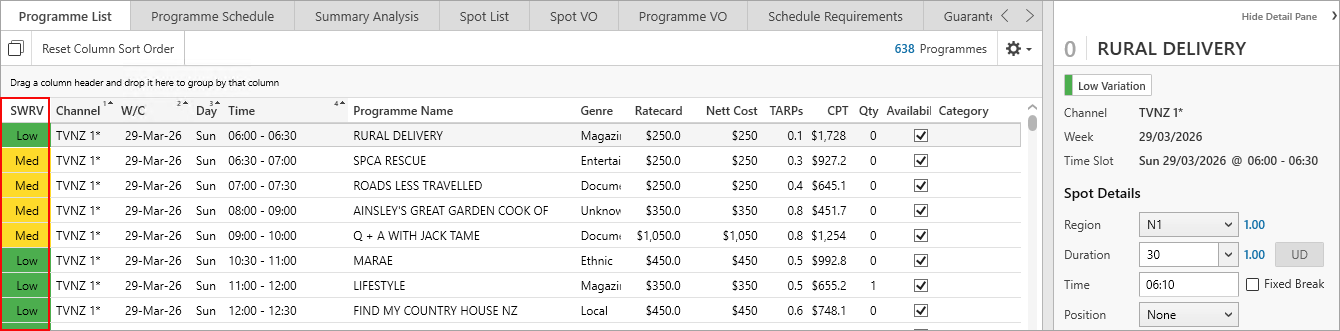
Source Weeks Ratings Variation Changes
The Source Weeks Ratings Variation (SWRV) column has been enhanced to highlight rating changes. You can sort spots by this column, making it easier to identify which spots may need programme overrides and streamline decision making. Where High variation is occurring the PUTs and TARP source history will provide additional information to determine if ratings overrides should be applied.
Broadcaster Campaign ID Added
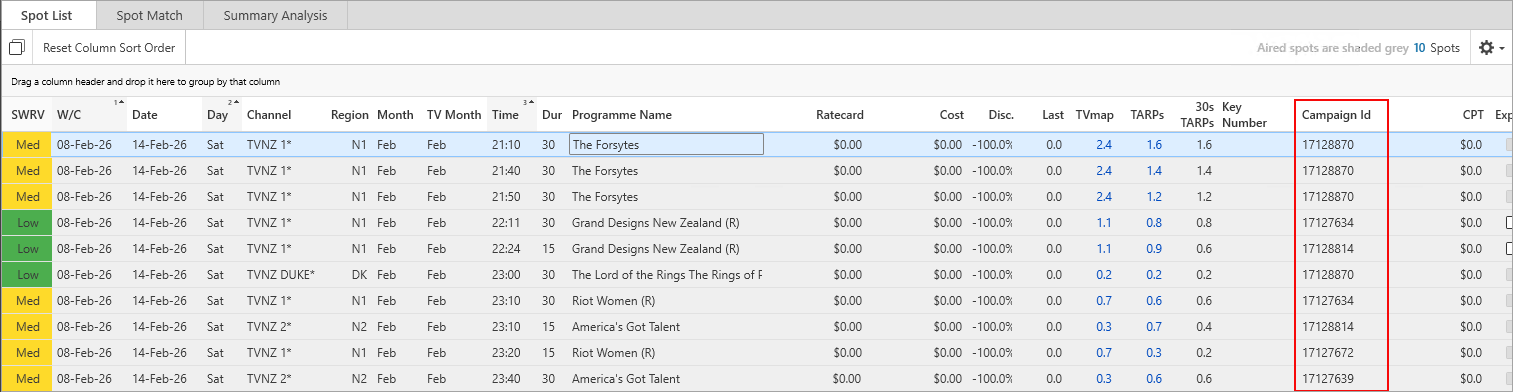
A new column Campaign ID is available to add in Pre/Post Analysis. This will display the broadcaster campaign reference number which simplifies reconciliation and can be used as an additional reference for the broadcaster when resolving issues.
Availability & Programme Length Columns Added
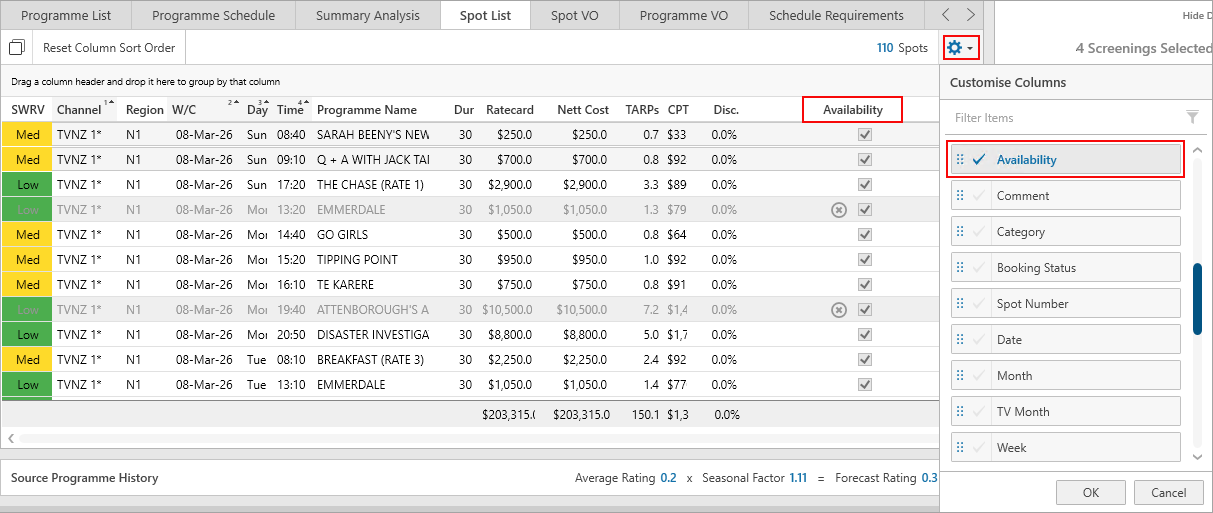
The Availability column can now be added to the Spot List of Buying. This provides clear visibility of remaining availability for each spot, making it easier to quickly identify which spots can support additional activity.
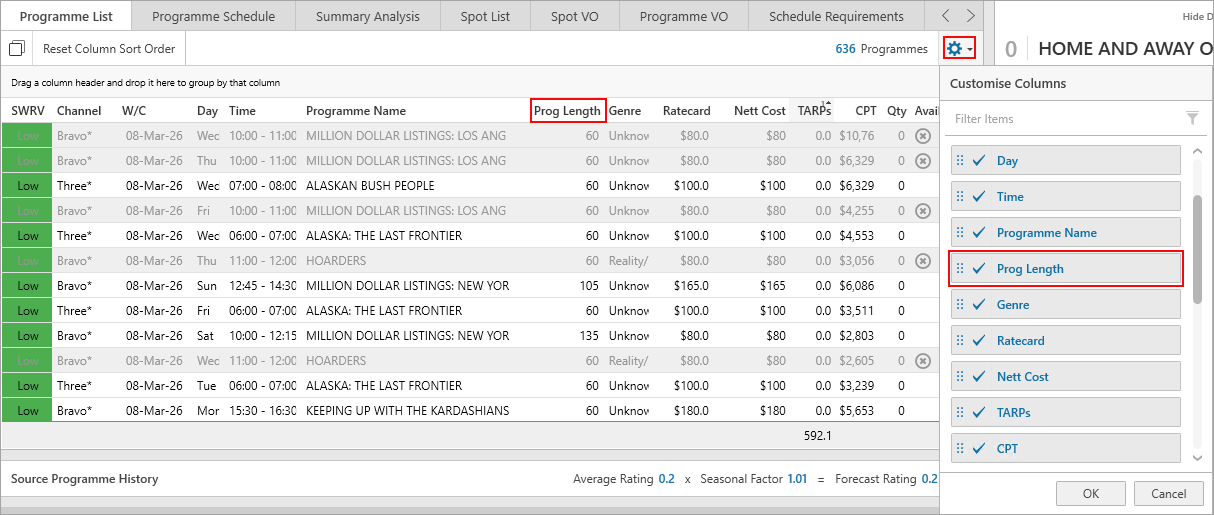
An optional Programme Length column is now available in the Programme List tab of Buying & Campaign Manager. You can sort or group programmes by their duration, making it easier to control spot frequency relative to programme length.
Timeslot Name Column Added
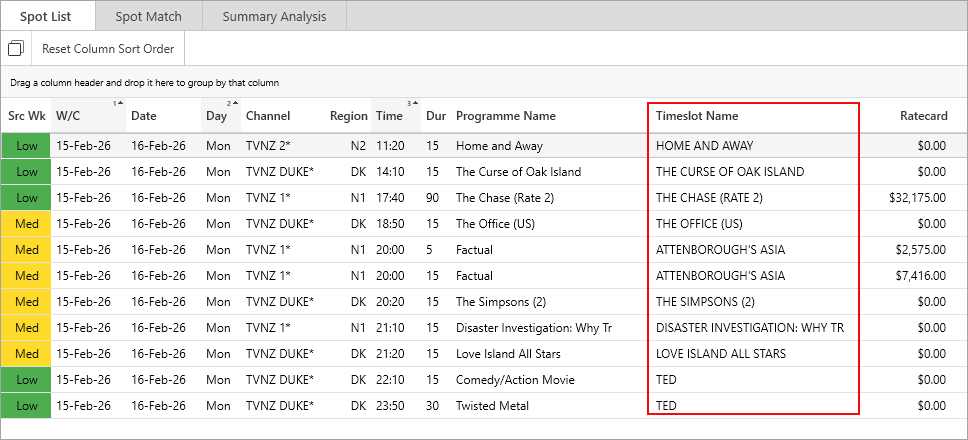
A new optional Timeslot Name column can now be added to the spot list in Pre/Post Analysis. This provides the name of the programme in the timeslot based on the latest broadcaster ratecard as an alternative to the Programme Name which is based on the supplied information in the holdings file and may contain episode information.
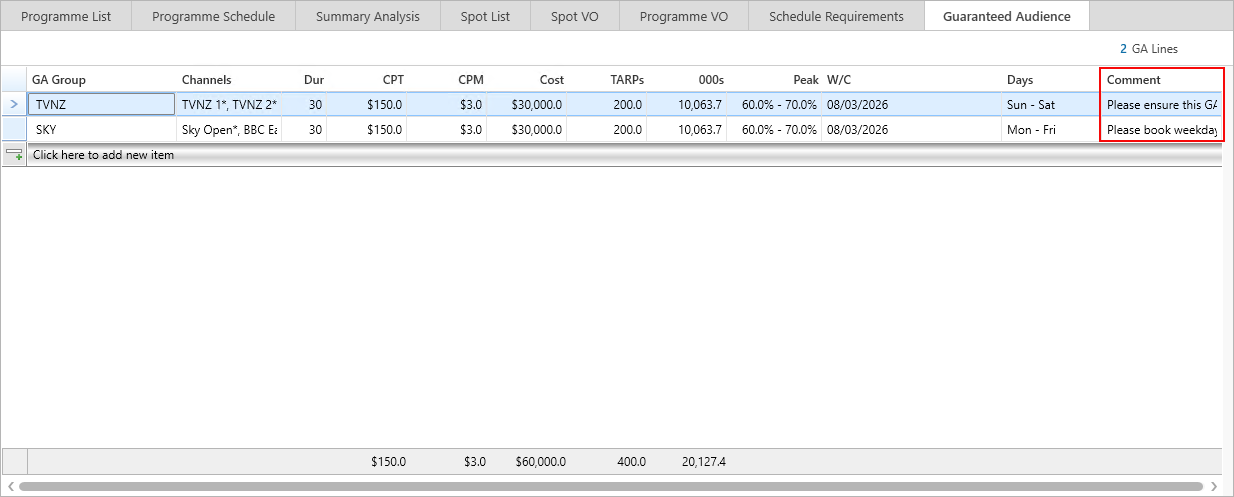
Comment Column Added to Guaranteed Audience
A free text column Comment has been added to Guaranteed Audience. This provides the option to send additional instructions on GA lines.
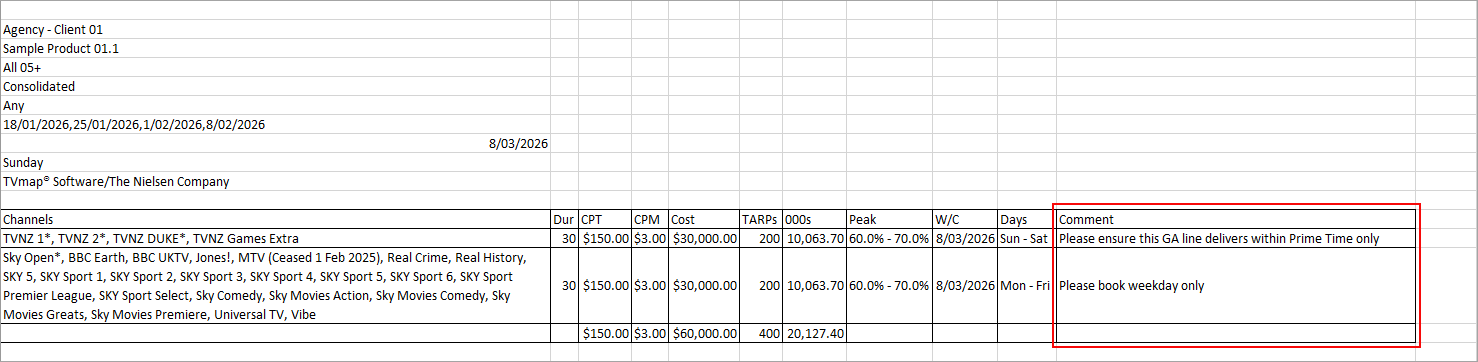
This new column will be included in the Excel export which can be emailed to the broadcaster as a briefing document.
Copy Image from Programme Synopsis Added
A link to copy the programme image has been added to Programme Synopsis. You can use this to quickly copy and paste the selected programme image into an Excel/Word/Powerpoint document or application like Paint.
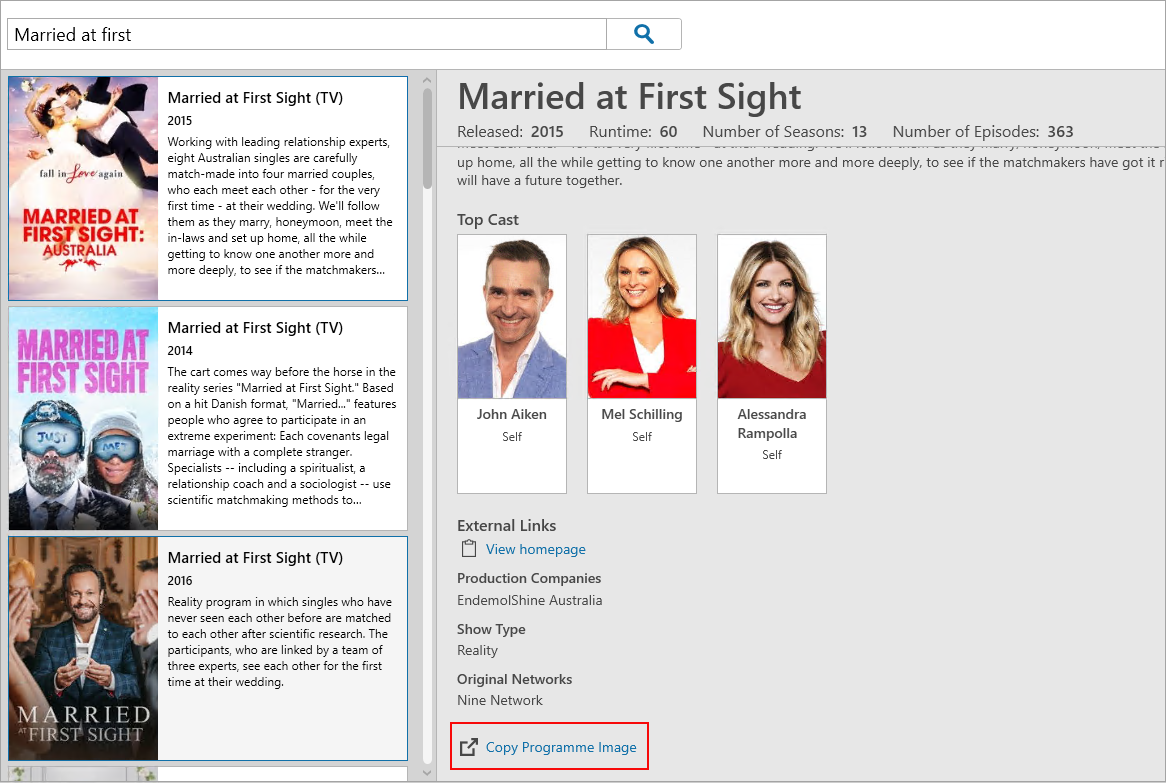
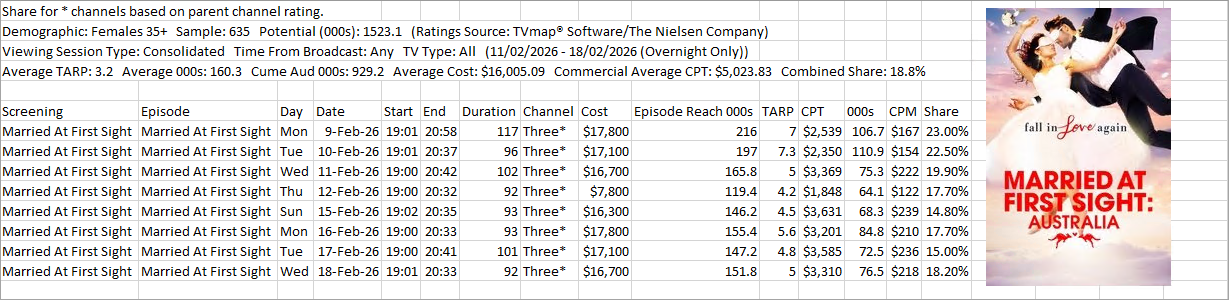
In the example below we’ve done a basic Programme Search on Married At First Sight (AU) & then exported the results to Excel & added the programme image.
Auto‑Save After Sending eBookings
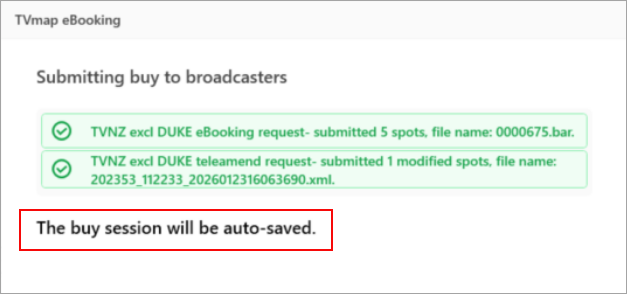
TVmap now automatically saves a buy after an eBooking is sent, this provides an audit trail and prevents eBookings from being duplicated.
Have more questions? E-mail us: support@broadcastmap.co.nz or call us: +64 9 304 0762
|
|
©2026 Broadcast M.A.P. Limited. All Rights Reserved.
|